Welcome to 4Search
4Search is an independent search engine. You type a question or a few words, and it shows you ordinary web results, recent news from many publishers and, if you allow it, a short AI answer. Its home page says it in four words: AI search. Web search. Equally.
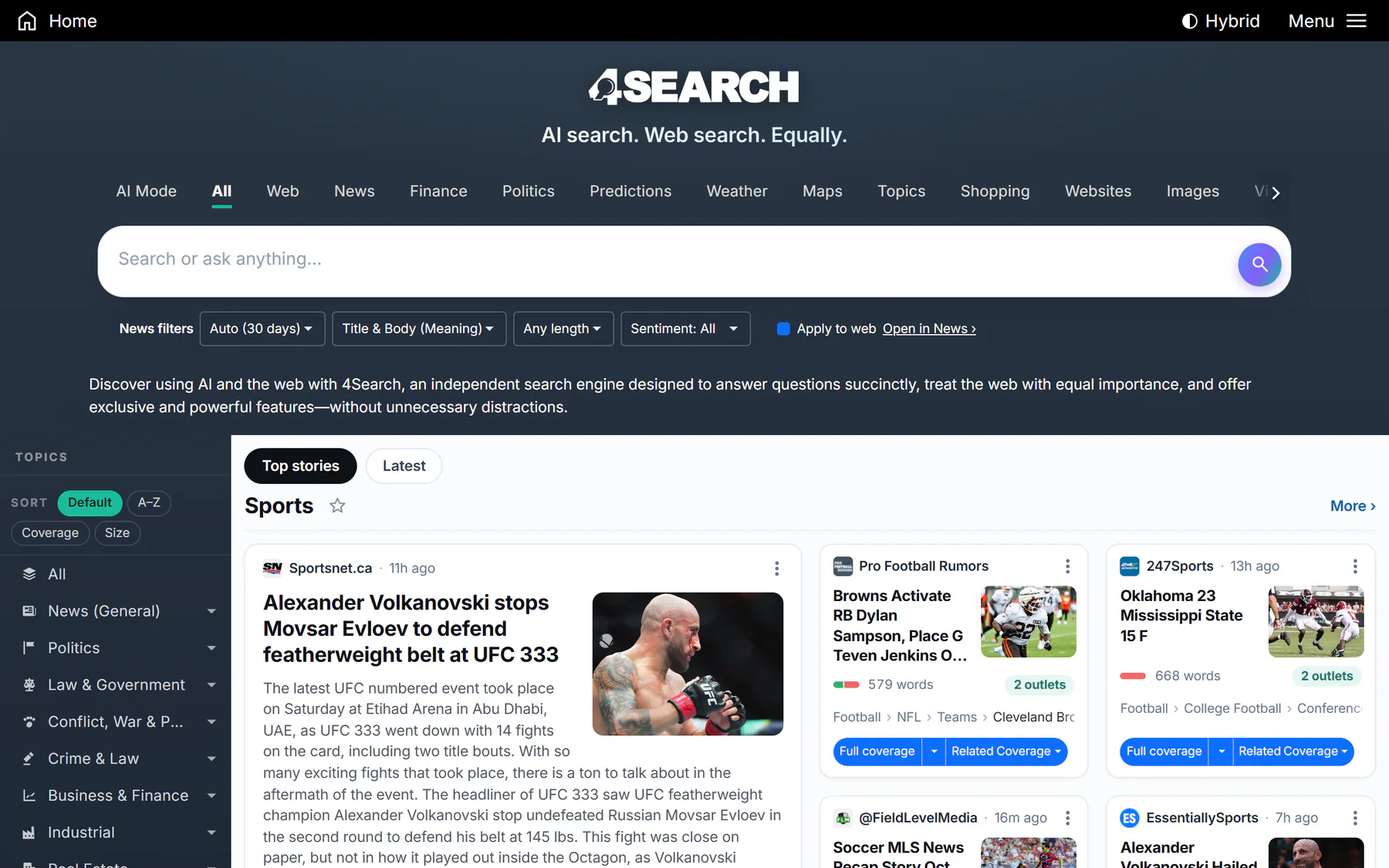
The 4Search home page: search box and service tabs at the top, a topics list on the left and a front page of stories.
#What makes 4Search different
- AI and the web, side by side. An AI Overview can sit above the results, and AI Mode lets you ask follow-up questions in a conversation. The web results and the news results are still there, and AI answers say they can be wrong.
- Topics. Every site organizes what it has indexed into topics and subtopics. You can browse them, follow the ones you care about, or search inside one.
- Recent by default. The date filter starts on Auto, which favors recent coverage, so a search for a story shows what is being reported now.
- More than search. The same tab row that holds All, Web and News also opens Finance, Politics, Predictions, Weather, Maps and Shopping, on the sites that have them.
- Your choices come first. AI answers and saved lists are optional, and you can change your mind at any time in Your Privacy Choices.
#What you can do
| You want to | Read |
|---|---|
| Know your way around the home page | A five-minute tour |
| Run a search and understand the page you get | Run your first search |
| Pick the right tab for the job | Choose the right tab |
| Understand the other 4Search sites | The 4 Network |
| Use 4Search on a phone | 4Search on your phone |
| Use a keyboard, a screen reader or a larger display | Accessibility |
Once you are comfortable, the rest of the Help Center goes deeper: Searching covers filters and result cards, AI answers explains AI Overview and AI Mode, and Topics and your front page shows how to follow what you care about.
#Where to go next
If you would rather learn by doing, open the search page and try a few words you know something about.
#Common questions
Do I need an account to use 4Search?
No. You can search, read results and use every tab without signing in. Lists you choose to save, such as followed topics, are kept in your browser if you allow Saved preferences. See Saved preferences.
Is the Help Center the same on every 4Search site?
Yes. Every site in the network shows the same Help Center, so you can keep reading without leaving the site you are on. See The 4 Network.